
Download Laser Pointer Simulator – laser pointer simulator, optics education, light physics, 3D laser simulation, interactive learning tool, virtual laser pointer, classroom tool, STEM learning
Overview
Laser Pointer Simulator is a desktop application designed for educational and interactive exploration of light physics and optics. The software allows users to simulate the behavior of laser beams in a virtual environment, offering a safe and risk-free way to experiment with laser projection. It is particularly suited for students, educators, and enthusiasts interested in understanding how light travels, reflects, and interacts with surfaces. The app enables users to manipulate a virtual laser pointer within a customizable room, adjusting angles, beam color, and length to observe real-time visual outcomes. This makes it a valuable tool for STEM learning, especially in classroom settings where hands-on experiments with real lasers may be impractical or unsafe.
The developer, OptiSim, appears to focus on science-oriented software with an emphasis on visualization and experiential learning. While no additional background on the company is provided, the app's purpose is clear: to serve as a digital laboratory for light-based phenomena. Real-world applications include preparing for science demonstrations, teaching optics principles in high school or college-level physics, and helping individuals practice precise laser alignment in a controlled digital space. The repeated emphasis on safety and simulation suggests a strong commitment to responsible experimentation.
Key Features & Capabilities
- Interactive Laser Simulation – Users can control a virtual laser pointer in real time, adjusting its position and angle to observe how the beam behaves across different surfaces.
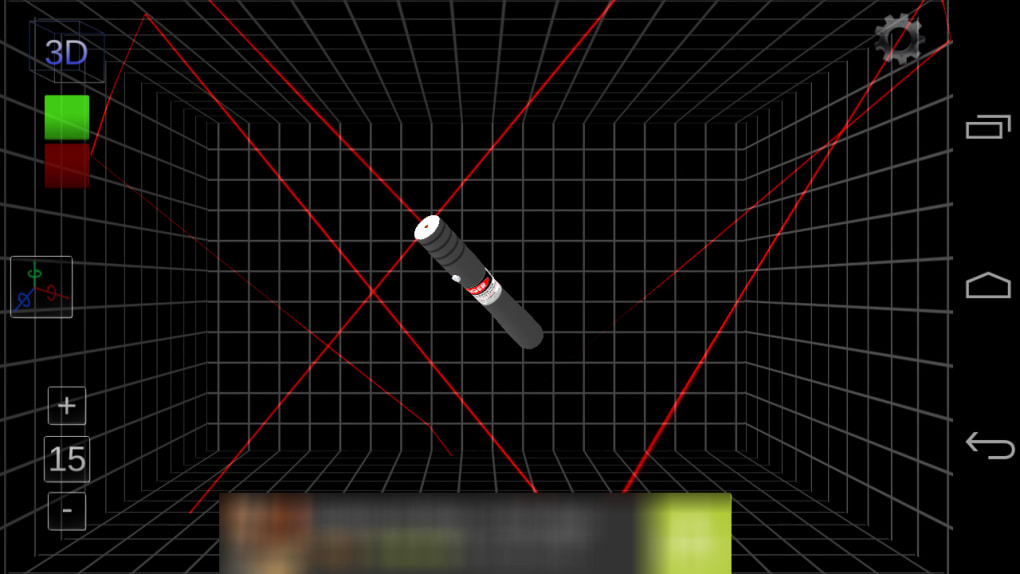
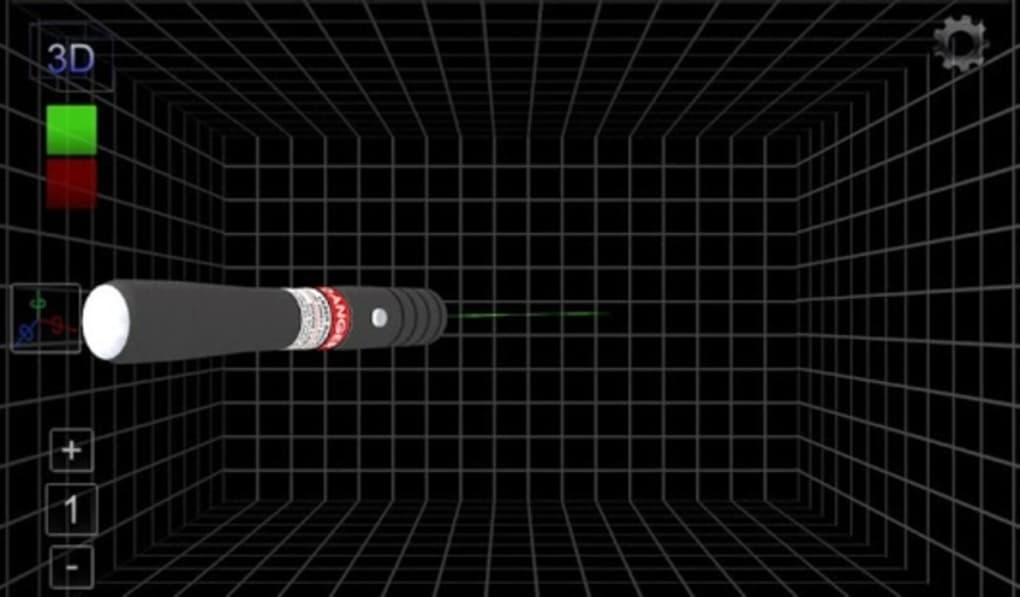
- 3D Room Environment – The app offers a three-dimensional space where the laser beam can be projected, allowing for a more immersive and realistic experience.
- Customizable Beam Properties – Users can modify the color and length of the laser beam, helping to visualize different wavelengths and beam dispersion effects.
- Robot-Attached Laser Option – A unique feature allows users to attach the laser pointer to a virtual robot, simulating automated or programmable laser systems.
- Physics-Based Visual Feedback – The simulation responds dynamically to changes in angle and surface material, providing immediate visual cues about reflection, absorption, and refraction.
These features support practical learning scenarios such as demonstrating the law of reflection, exploring beam divergence, or simulating laser alignment in engineering contexts. The robot integration introduces an element of automation and programming logic, making it useful for interdisciplinary STEM projects. The tool is designed to be both intuitive and educational, minimizing the learning curve while maximizing conceptual understanding.
User Interface, Workflow & Performance
The user interface of Laser Pointer Simulator is structured around a central 3D viewport where the laser beam is displayed. Navigation is likely intuitive, allowing users to rotate, pan, and zoom within the virtual room using standard mouse or trackpad gestures. The control panel provides access to beam settings such as color, length, and attachment options. Workflow efficiency is enhanced by real-time feedback, enabling users to adjust parameters and immediately observe the effects on the laser path.
Performance details were not specified by the developer. However, given the application’s size of 24.5 MB and its focus on 3D rendering, it is expected to run smoothly on modern desktop systems. The developer did not provide additional system requirements or resource usage details.
General software behavior suggests minimal CPU and RAM overhead, especially for a simulation of this nature. Stability is assumed to be consistent, as the app does not involve complex real-time processing or external dependencies. No reported issues with crashes or freezes were mentioned.
Compatibility & System Requirements
Laser Pointer Simulator is available for both Windows and Mac operating systems, making it accessible to a broad user base across desktop platforms. The software version is 1.2.0, with a file size of 24.5 MB, indicating a lightweight installation. The developer did not specify exact system requirements, including minimum processor speed, RAM, or graphics capabilities. Compatibility information was partially provided, with only the supported operating systems and version number listed.
Users should expect a straightforward installation process, typical for desktop applications of this size. The lack of detailed hardware requirements means that installation and operation may vary depending on individual system configurations. It is recommended to ensure the system meets general standards for running 3D graphics applications, especially when using the 3D room environment. No information was provided regarding updates or automatic update mechanisms.
Pros and Cons
Pros
- Safe, risk-free environment for practicing laser beam control
- Interactive 3D simulation enhances learning engagement
- Customizable beam color and length for physics experimentation
- Unique robot attachment feature for automation learning
- Lightweight installation at 24.5 MB
Cons
- No detailed system requirements provided
- Performance behavior under various conditions not specified
- Limited information on update frequency or support
- Price point may be a barrier for some educational institutions
- Does not include real-world hardware integration
FAQ Section
Is Laser Pointer Simulator compatible with both Windows and Mac?
Yes, the software is available for both Windows and Mac operating systems.
Can I use this software offline?
Yes, once installed, Laser Pointer Simulator does not require an internet connection to function.
Is the software safe to use?
Yes, the application simulates laser behavior without any physical output, making it safe for classroom and personal use.
How often are updates released?
The developer has not specified the update frequency. The current version is 1.2.0.
What type of license does this software use?
The licensing model is not disclosed in the provided information. The software is sold for $9.99.
Final Thoughts + CTA
Laser Pointer Simulator offers a focused, educational experience centered on the physics of light and optics. Its interactive 3D environment, customizable beam settings, and unique robot integration make it a standout tool for STEM learning and classroom instruction. While the lack of detailed system requirements and performance data limits in-depth evaluation, the app’s lightweight footprint and clear purpose suggest reliable operation on modern desktops.
It is ideal for educators seeking a safe, visual aid for teaching optics, students exploring light behavior, and hobbyists fascinated by laser dynamics. The price point reflects its niche educational value. For anyone interested in a secure, engaging way to learn about light and laser projection, this software delivers a compelling experience.
Download Laser Pointer Simulator now





.png)

